 AutoWriter AI
How AutoWriter AI grows your blog
Great articles every week, on autopilot. Earning while you sleep.
Blogs that post good articles, week after week, are the ones that grow. Keeping that up takes hours, or $500+ a month for a part-time writer. AutoWriter AI plans, writes, checks and publishes original articles with images to your WordPress site, adds your Amazon and AdSense links, and starts at $2.99 a month.
No card needed · Articles arrive as drafts until you choose to publish automatically

Step 1 · Describe your blog
Five minutes to set up. Your first article is free.
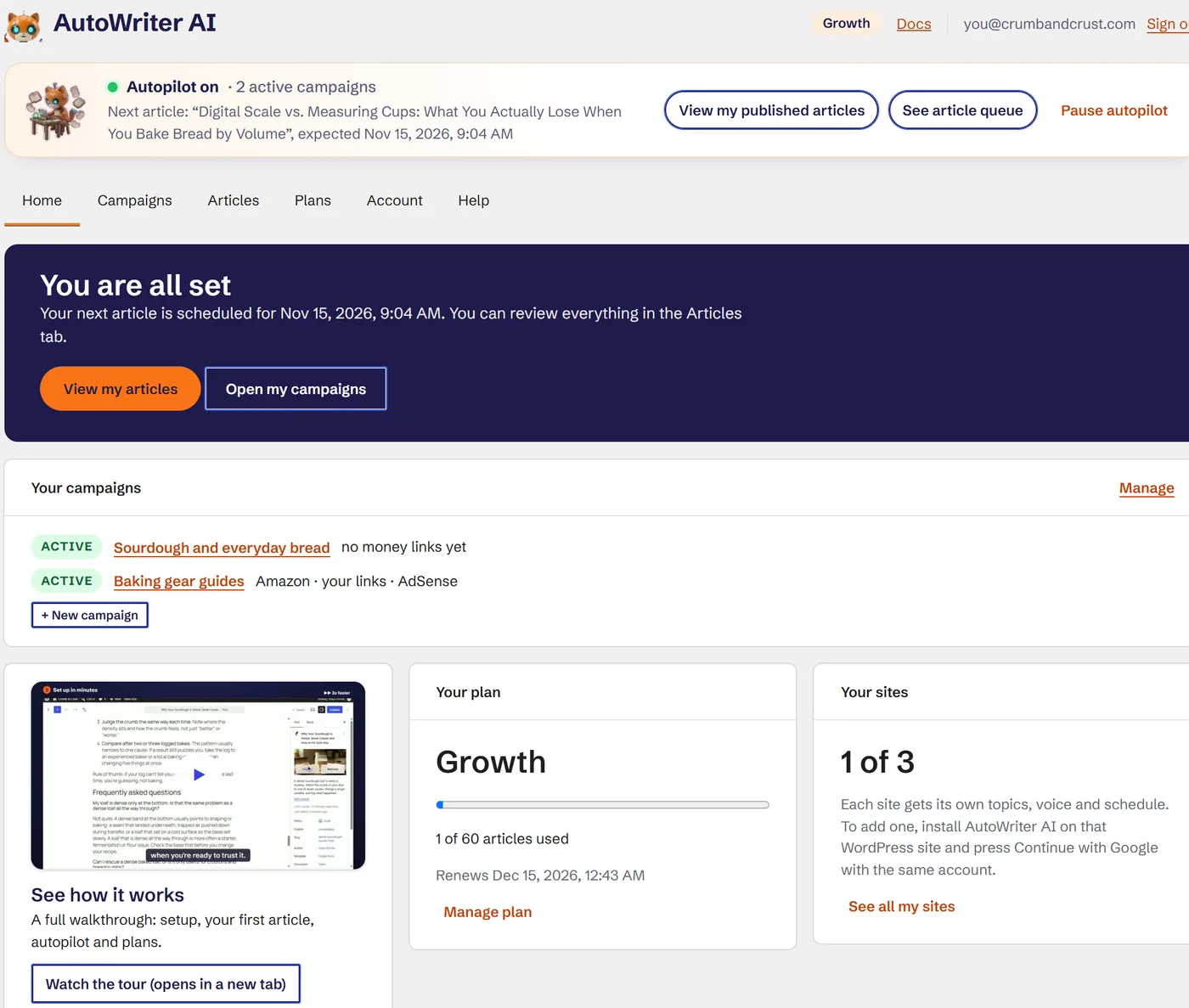
Install the plugin and press Continue with Google. Say what your blog is about and who reads it, pick a tone, a length, an image style and the days you want new posts. It reads the posts you already have, so it links to them and never repeats them.
Tick a few of the ideas it suggests, and that is your first campaign. A couple of minutes later, a complete article with images and a quality report is waiting on your site as a draft.
Step 2 · Plan campaigns
One site, several subjects. Each with its own plan.
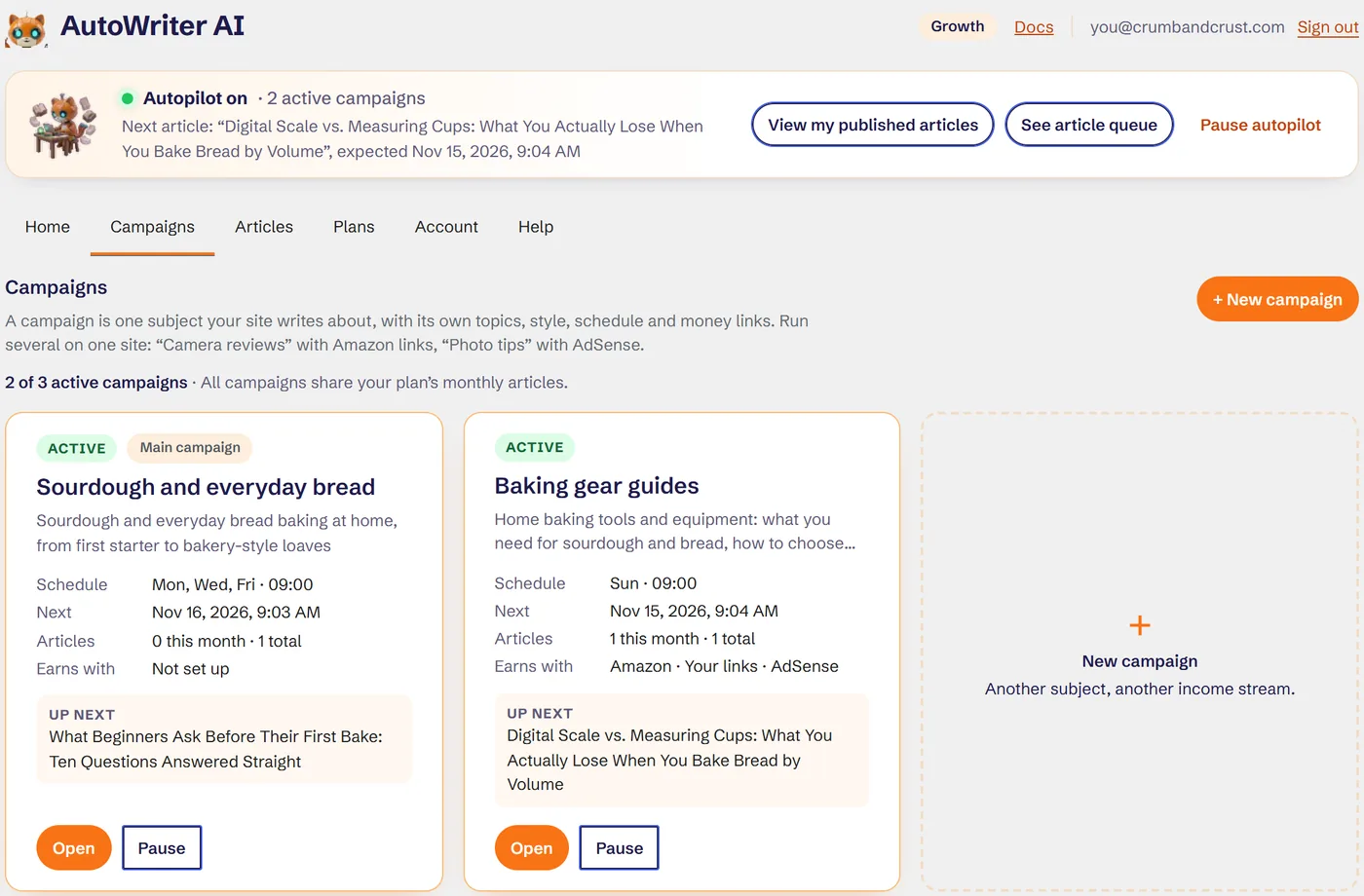
A campaign is one subject your blog writes about, with its own topics, style, schedule, categories and money links. Run sourdough recipes three times a week and baking gear guides every Sunday, side by side on the same site. All campaigns share your plan’s monthly articles.
- 1
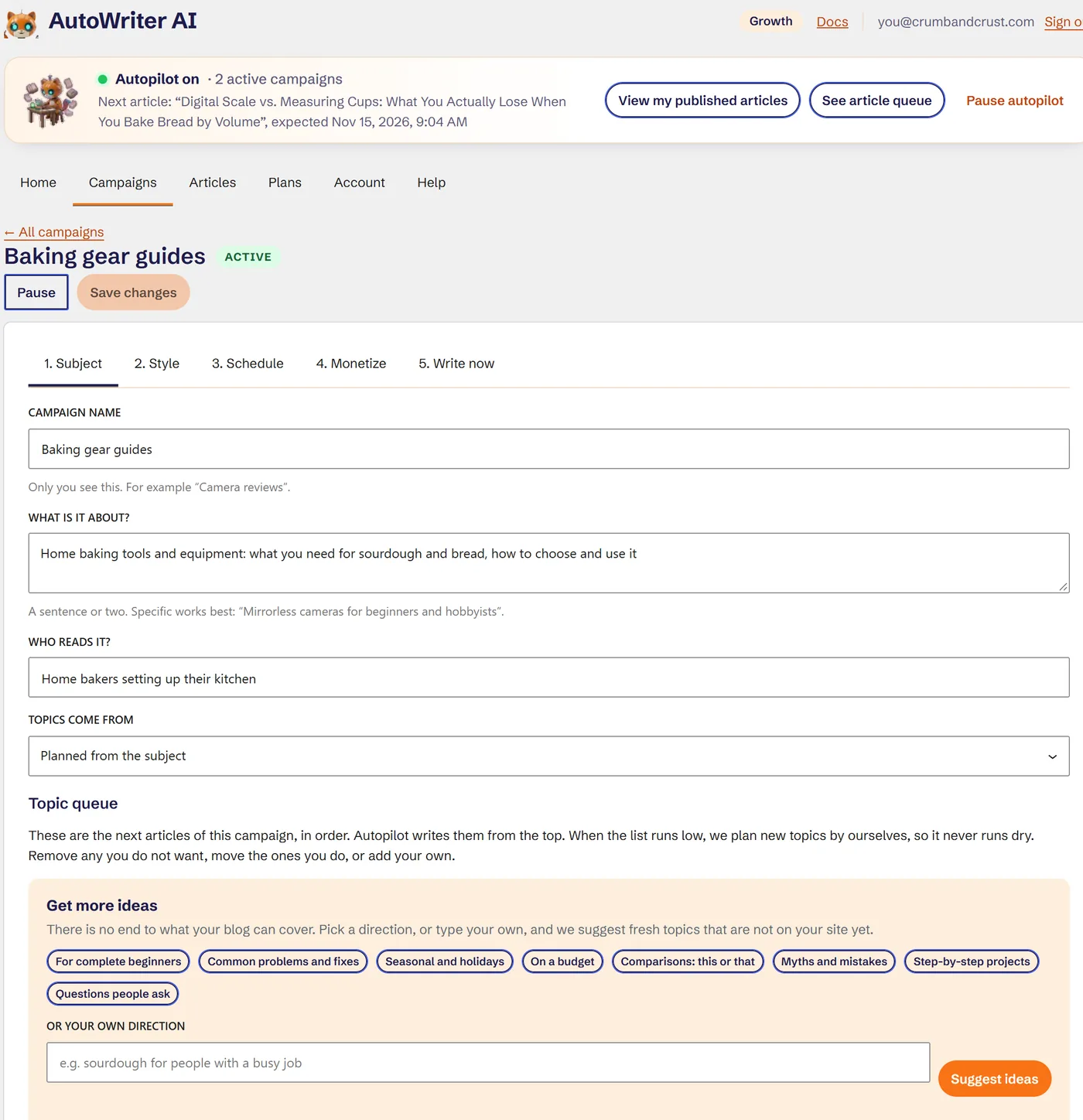
Subject
What the campaign is about and who reads it. Its topic queue sits right here: reorder it, add your own, or ask for fresh ideas in a direction such as seasonal, beginners or comparisons.
- 2
Style
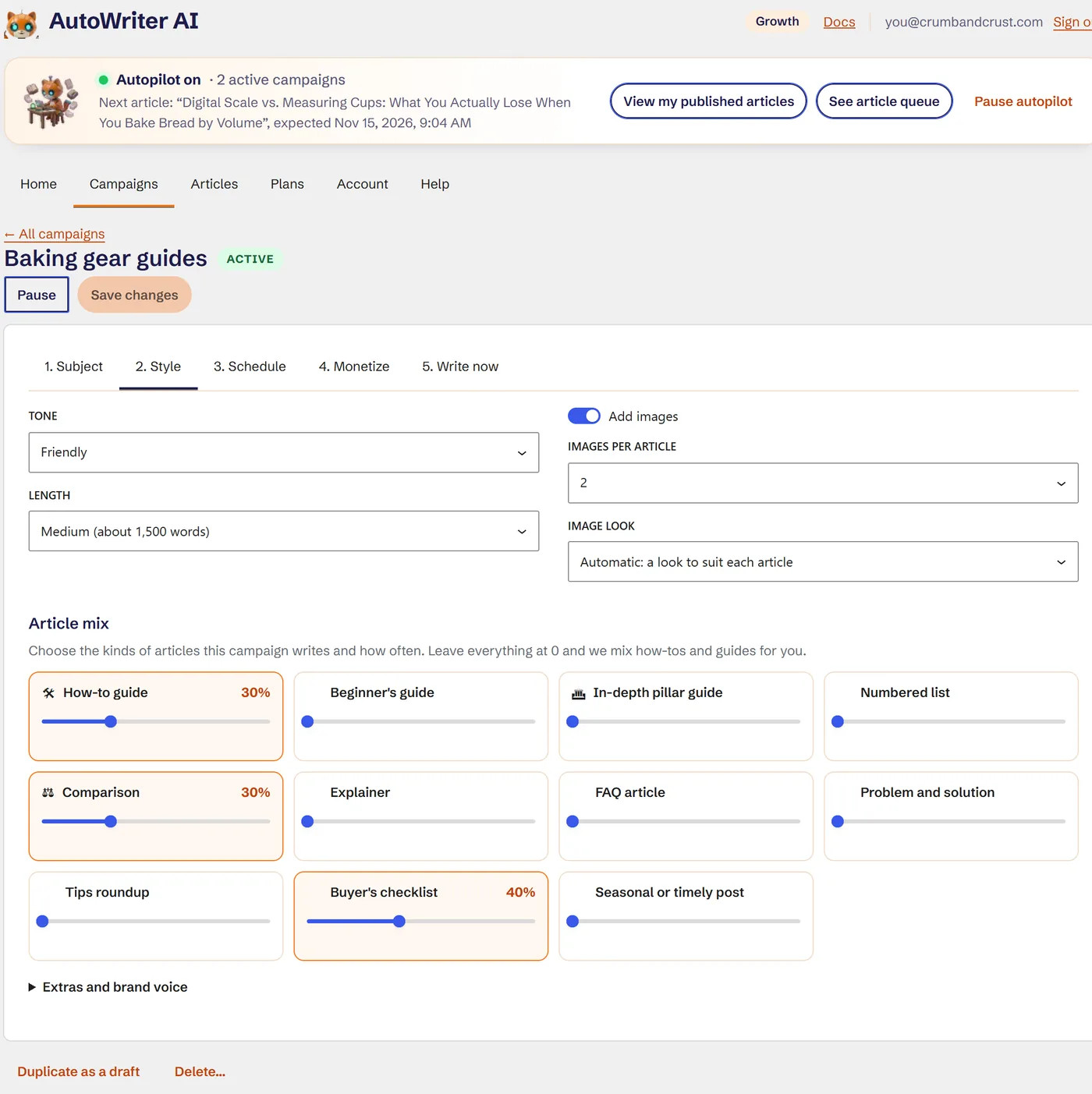
Tone, length, images, and the article mix: more how-tos, some numbered lists, the odd comparison or buyer’s checklist. Eleven formats to mix from.
- 3
Schedule
Its own days and time, drafts or published, and its WordPress categories. Type a new category and it is created with the first article.
- 4
Monetize
Your Amazon tracking ID, your own products and ClickBank offers, and your AdSense units, just for this campaign.
- 5
Write now
Need something today? Write the next topic now, or any title in any format, without waiting for the schedule.
Step 3 · Autopilot writes
Long, original articles that read like a professional wrote them.
Turn autopilot on and each campaign writes on its own days. Every article is written fresh for your blog: original, never copied or spun. Topics too close to ones you already have are rejected, and openings and structures rotate so your blog never feels templated.
- 1,900average words across our 25 unedited samples
- 84/100average quality score from our own checks
- 6languages tested: English, Español, Deutsch, Français, Bahasa Melayu, Português

A real angle, not a rewrite
Every article starts with a brief: who is reading, the questions they need answered, and what would make it more useful than the usual top-ten result.
Written section by section
An outline first, then each section written at full length. That is how you get 1,500 to 2,500 words that stay on topic instead of padding.
Checked before you see it
Length, structure, readability, repetition, overused AI phrases, placeholder text, unsourced claims, broken links and wrong language. Weak sections are rewritten automatically.
Scored by a second reviewer
A separate pass grades helpfulness, depth, accuracy, originality and readability, and writes you a short honest summary.
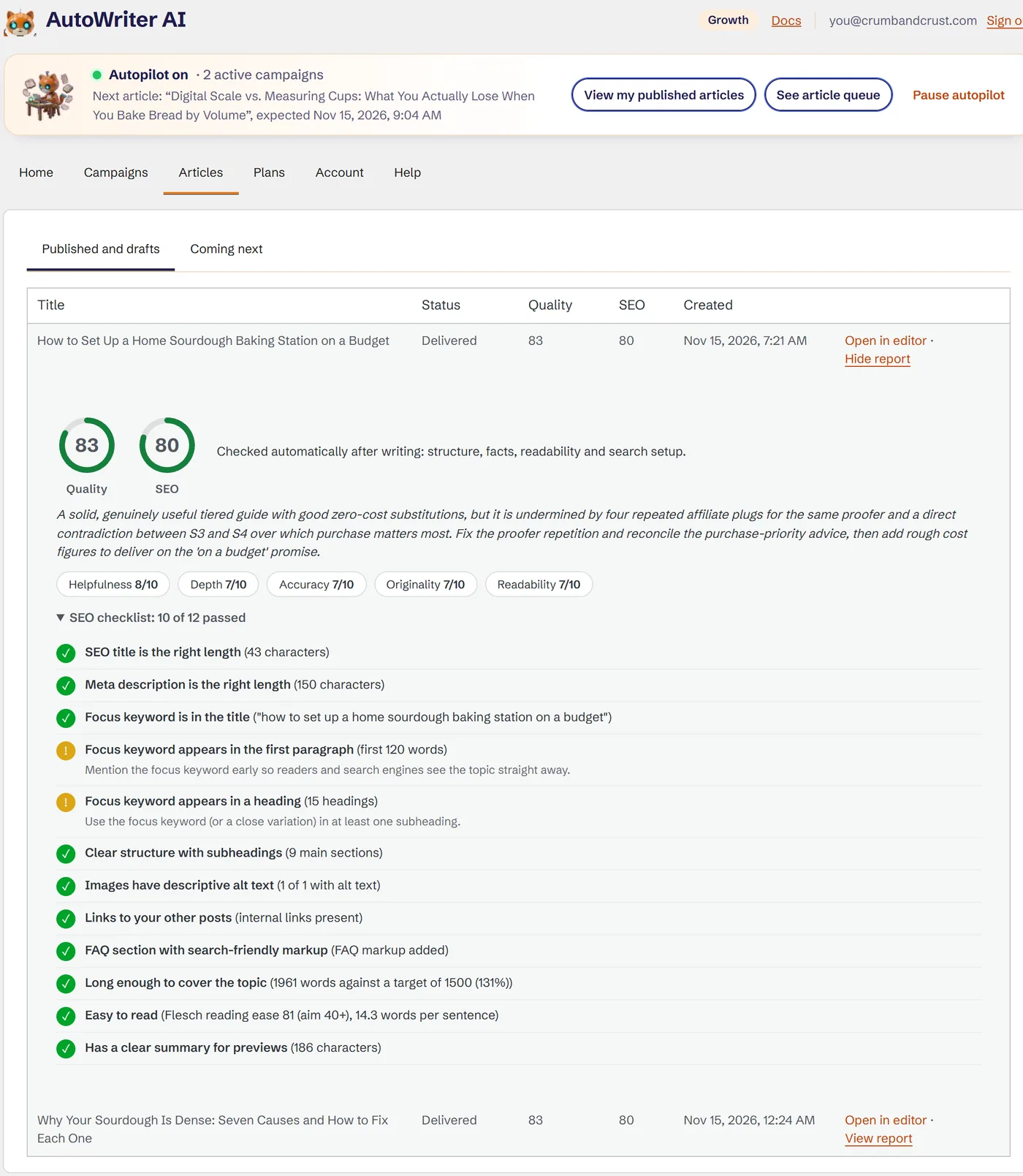
SEO done for you, images included.
- SEO title and meta description
- Focus keyword placed naturally
- Table of contents
- FAQ section with search-friendly markup
- Internal links to your real posts
- Images with descriptive alt text
- An SEO checklist and score on every article
Up to 6 images per article, a featured image plus pictures inside the article, in 27 visual styles. The writer is told never to invent statistics, studies, quotes or personal experiences, and unsourced numbers are flagged.

Step 4 · Earn from every post
Paste your Amazon ID once. Every article can earn.
Great articles bring visitors. A campaign’s Monetize part lets those visitors earn for you: Amazon links, your own products and AdSense, placed naturally in every new article.
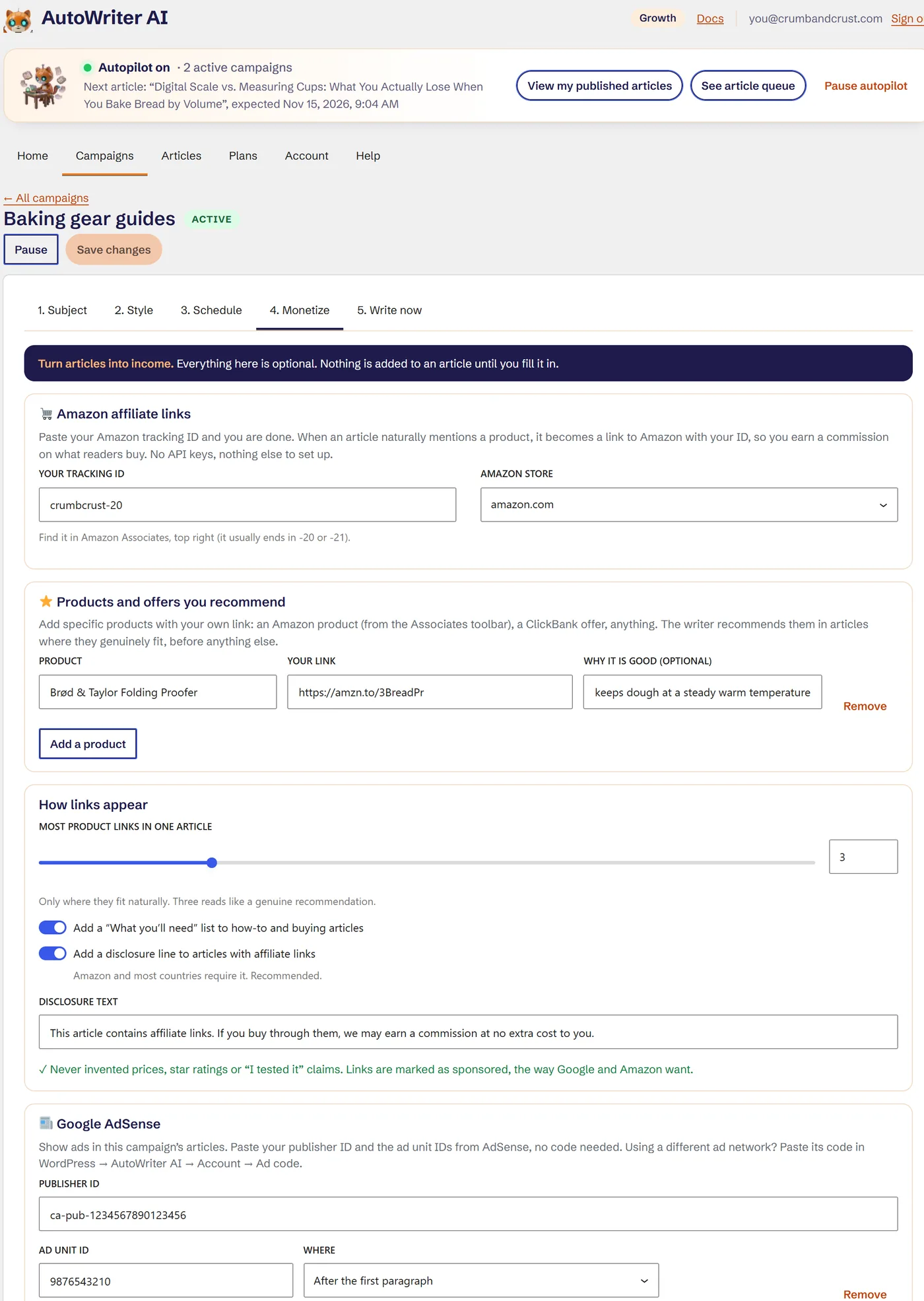
🛒 Amazon links, automatically
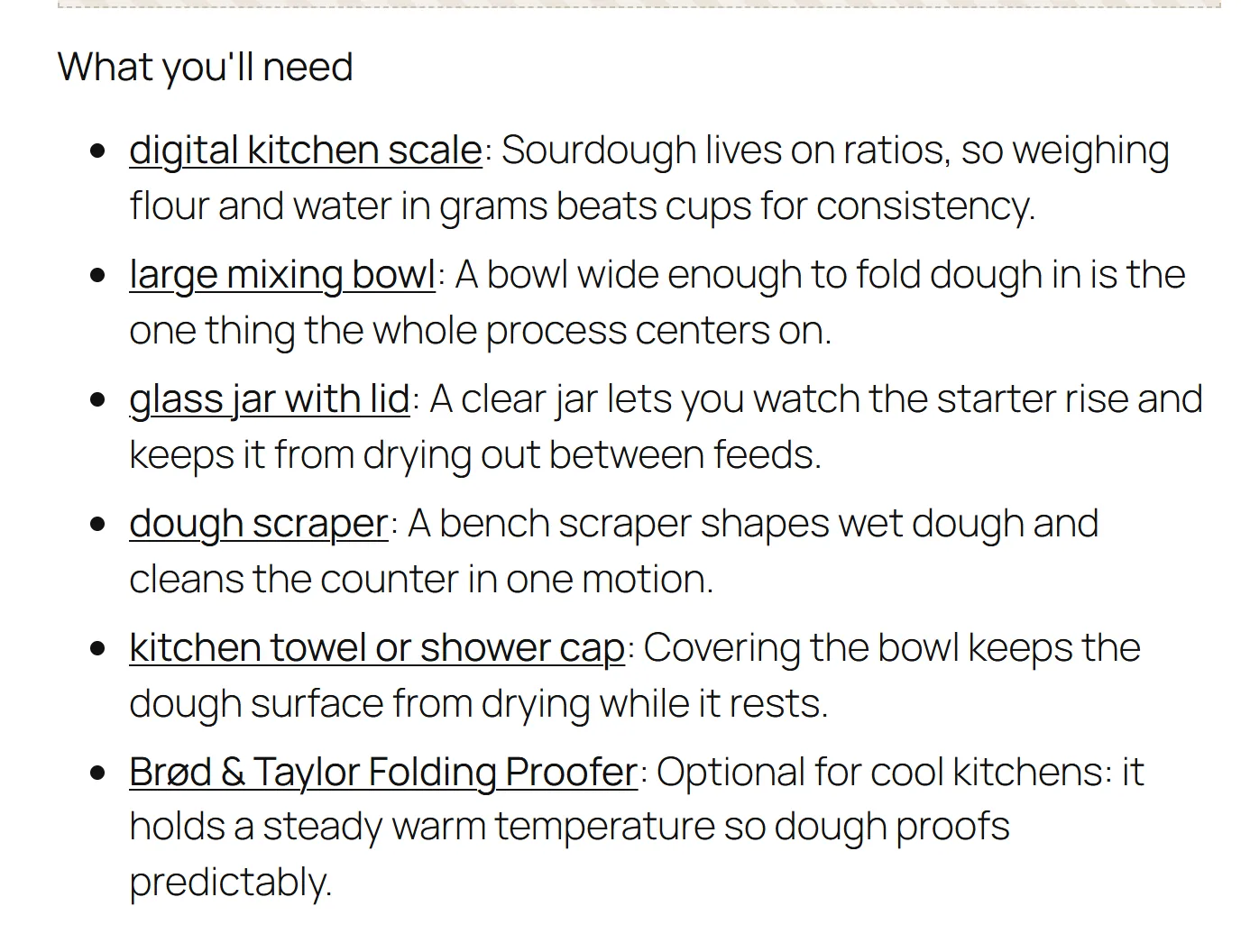
Paste your Associates tracking ID. When an article naturally mentions a product, like a kitchen scale or a dough scraper, it becomes an Amazon link with your ID. No API keys, nothing else to set up.
⭐ Your products come first
Add products you love, an Amazon product link or a ClickBank offer, and the writer recommends them wherever they genuinely fit, before anything else.
🧘 Honest, not spammy
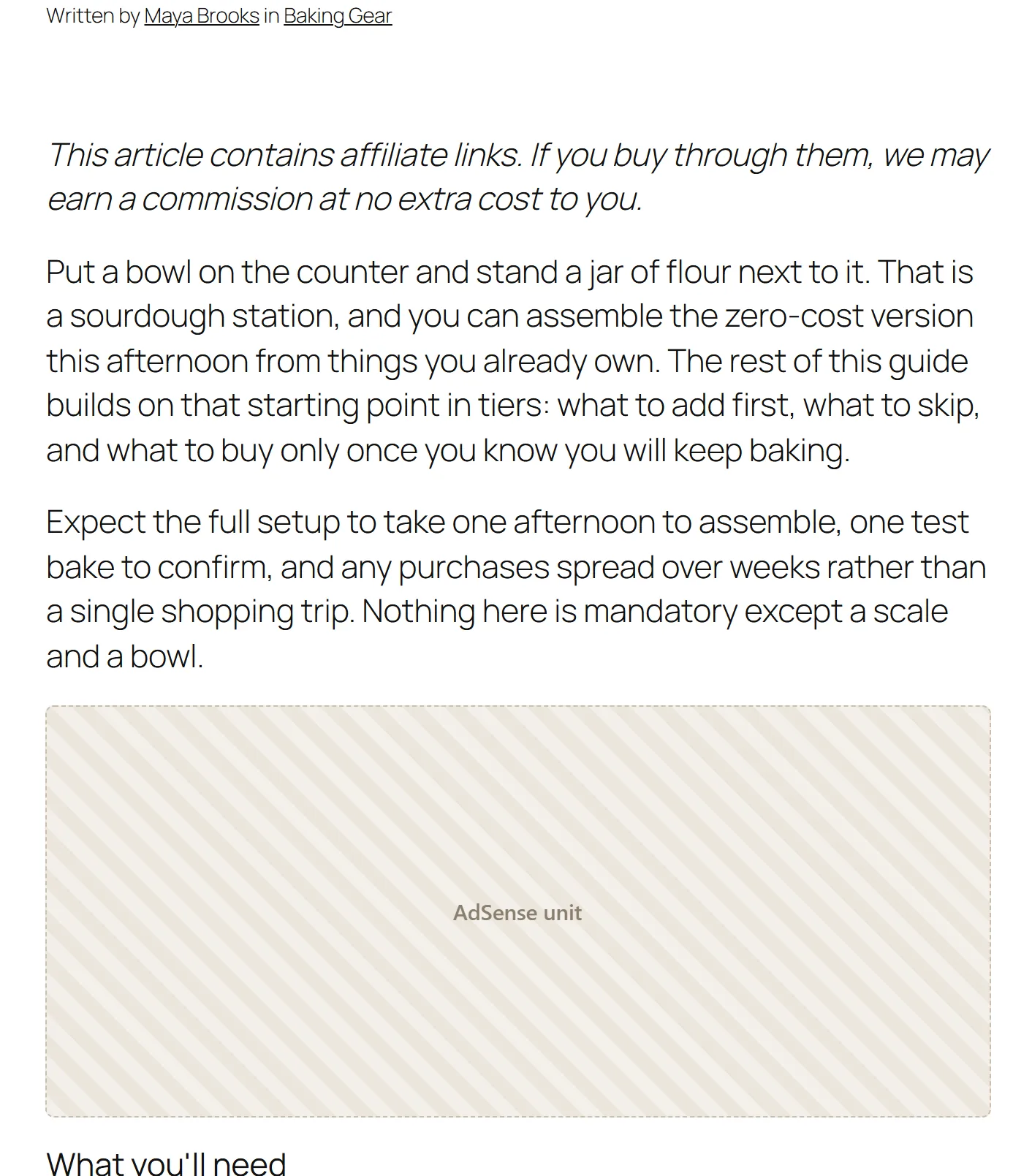
You choose the most links per article (three by default). How-to and buying articles can get a short “What you’ll need” list. Links are marked as sponsored, a disclosure line is added, and prices, star ratings or “I tested it” claims are never written.
📰 AdSense without code
Enter your publisher ID and ad unit IDs and choose where they go: after the first paragraph, in the middle, after any paragraph or at the end. Using another ad network? Paste its code in the plugin; it stays on your site.
Step 5 · Grow your empire
Start with one blog. Grow into a network.
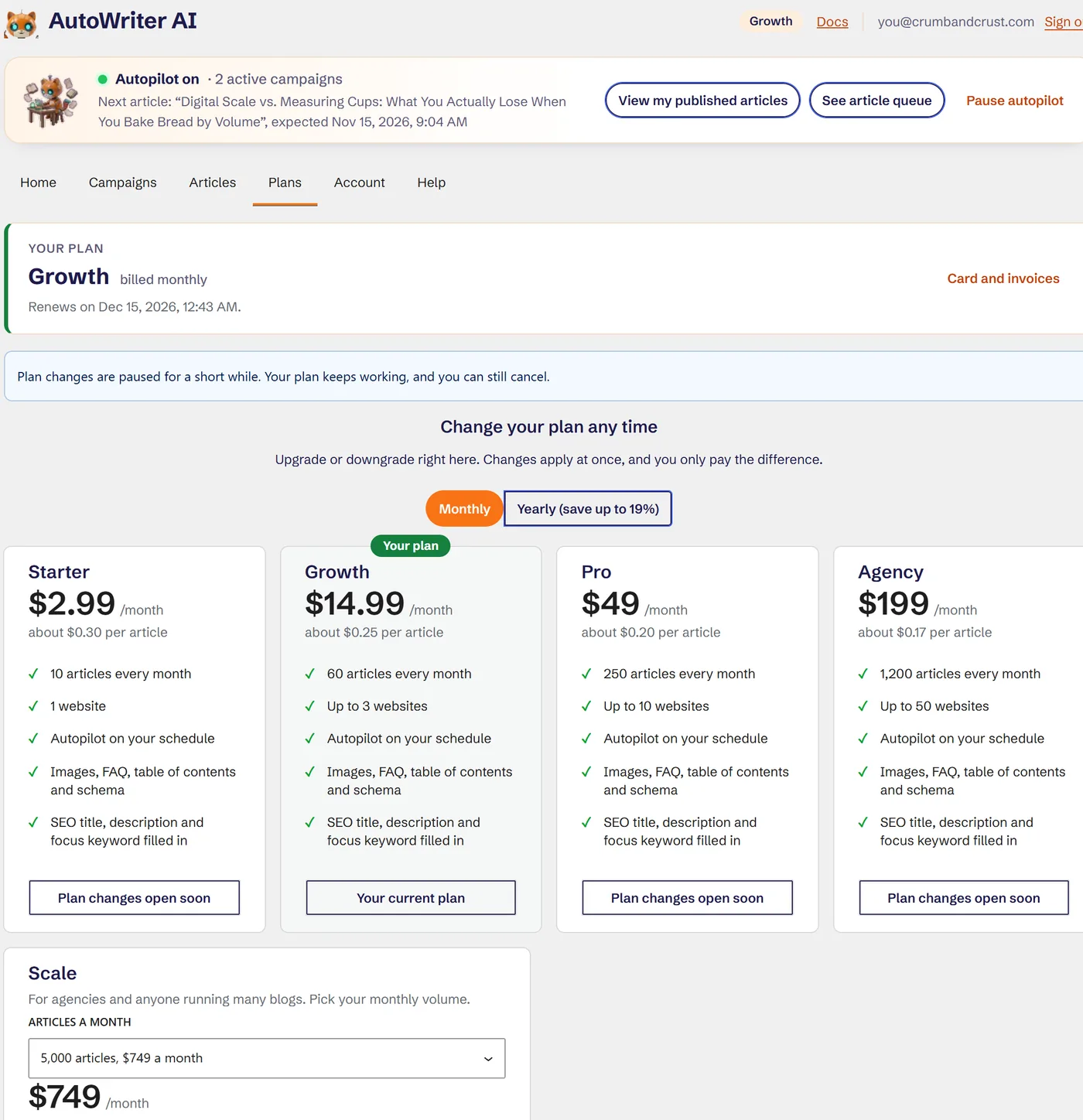
Add campaigns as your blog grows: Growth runs 3 at once on each site, Pro 5 and Agency 10. Add more sites by installing the plugin and signing in with the same Google account: Growth covers 3 sites, Pro 10, Agency 50, and Scale goes up to 40,000 articles a month.
Manage every site and campaign from your account on our website too: switch autopilot, pause a campaign, or update your Amazon and AdSense settings in one place. Upgrade inside the plugin whenever you are ready; you only pay the difference for the rest of the month.
You stay in charge
Full control, or full autopilot. Your choice.

Drafts first
Articles arrive as drafts by default. When you trust it, let a campaign publish by itself.
Always know what is next
A status bar on every screen shows whether autopilot is on, which article comes next and when. Pause it in one click.
Your site, your content
Normal WordPress posts on your own site, in your categories, under your author. Cancel and every post stays yours.
Works with your SEO plugin
Title, meta description and focus keyword filled in for Yoast SEO, Rank Math, All in One SEO and SEOPress.
Your voice
Describe your brand voice, or paste a few samples of your own writing, and every article in the campaign follows it.
Nothing sent until you connect
The plugin makes no requests until you press Continue with Google. Ad code from other networks stays on your own site.
A better writer, for a fraction of the price.
A part-time writer can cost $500 or more a month and covers one site, in office hours. AutoWriter AI works 24/7 on your schedule, checks every article, adds the images and the SEO, and covers every site you add.
Part-time writer
$500+/month
- Office hours, holidays, sick days
- One site at a time
- Briefs, edits and chasing deadlines
- SEO, images and affiliate links extra
AutoWriter AI Growth
$14.99/month
- Works 24/7, on your schedule
- 60 articles across 3 sites
- 3 campaigns at once on each site
- SEO, images, Amazon and AdSense included
$500 a month is our estimate of what a part-time writer charges for regular blog articles; rates vary. Plans from $2.99 a month. You should still review what you publish.

Post great articles every week, without lifting a finger.
Start at $2.99 a month, grow into an army when you want a media empire. Your first article is free.
Add to WordPress, it's free